linux
安装
sudo apt install flameshot
使用
-
截全屏
flameshot full -
选择区域截图
flameshot gui -
保存到某个目录下
flameshot gui -p ~/Pictures看到提示
flameshot: info: Capture saved as /home/pyq/Pictures/2023-05-13_14-24.png
-
延迟 n 秒进入截图模式
延迟 5 秒
flameshot gui -d 5000
添加到系统快捷键
-
打开 Keyboard - Shotcuts, 选中 Custom Shotcuts
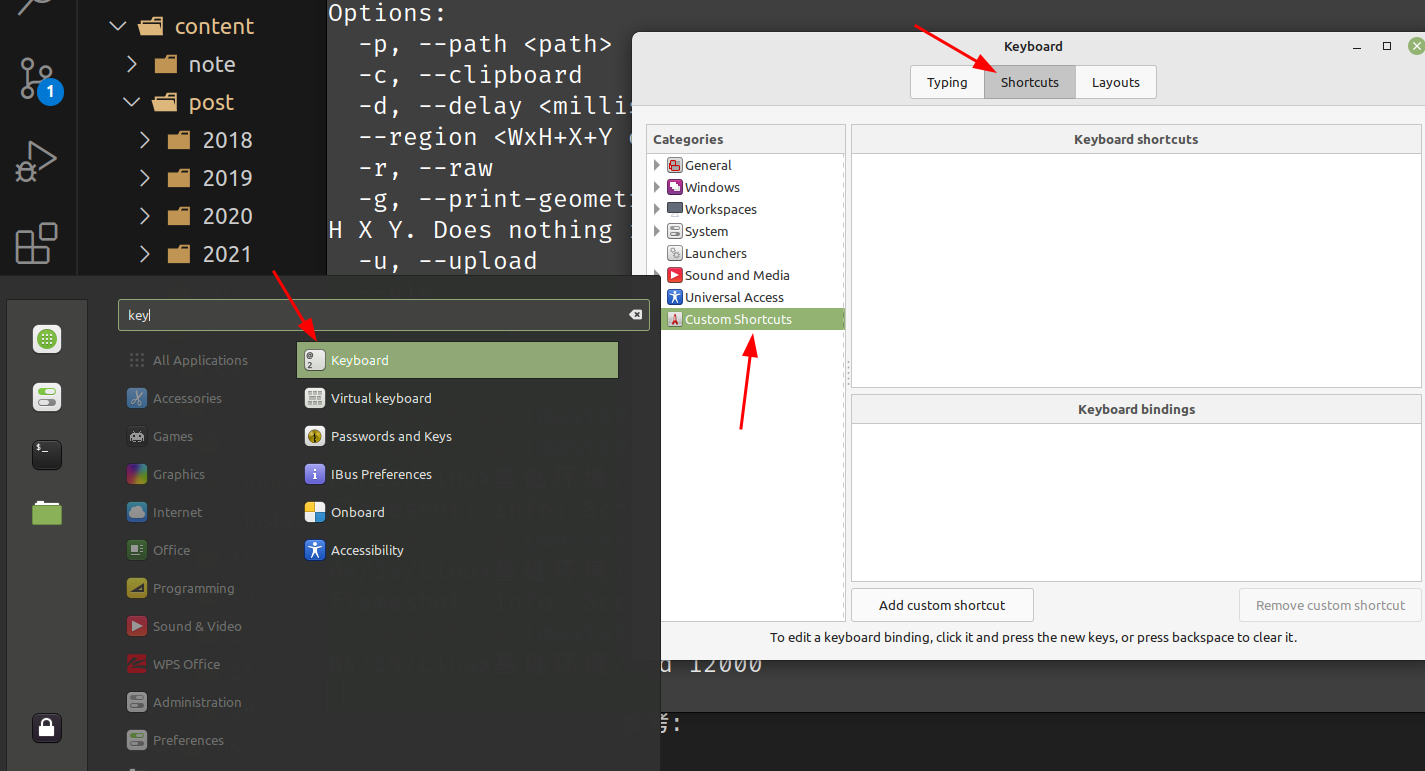
-
添加快捷键 flameshot gui
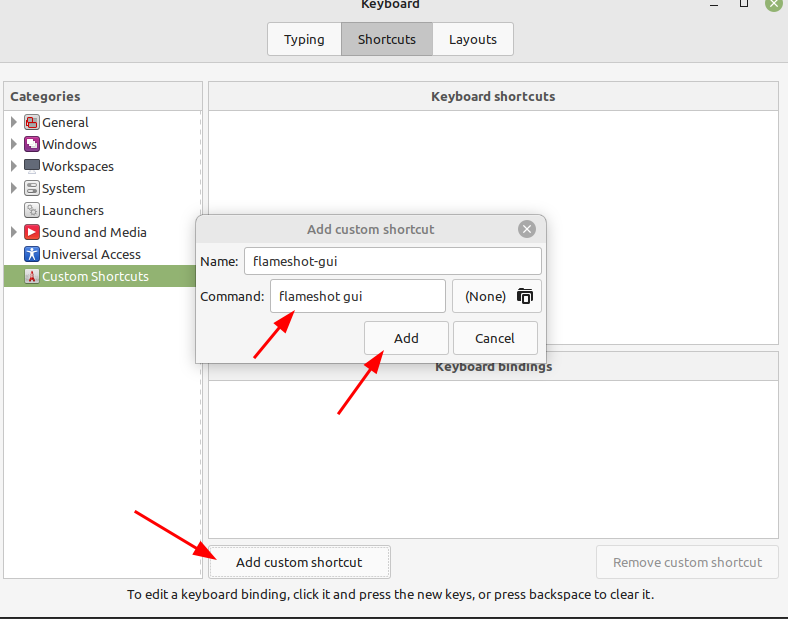
-
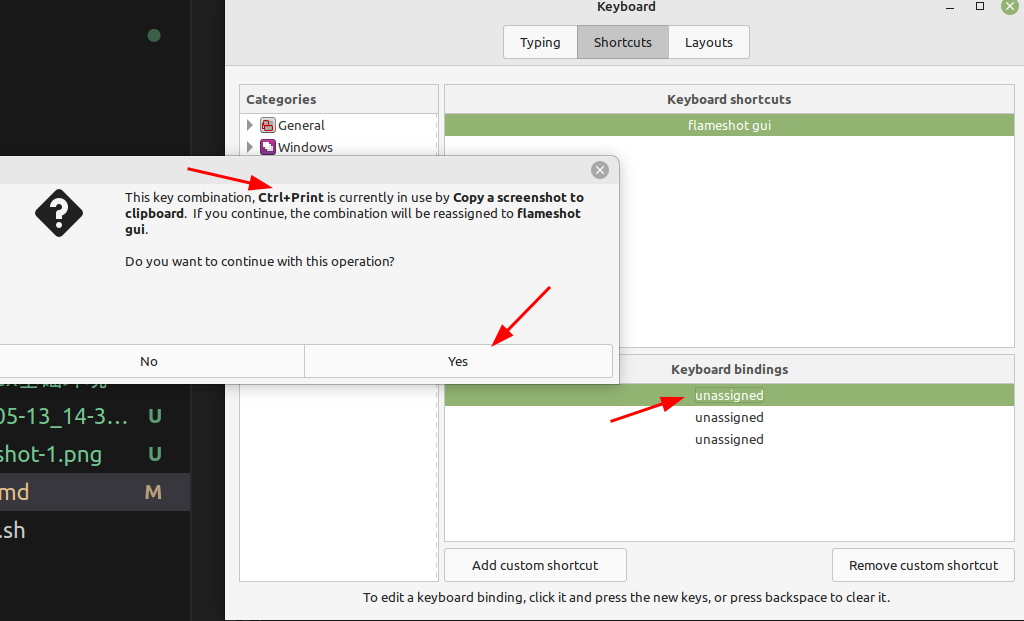
绑定到系统按键 Ctrl + Print
windows
TODO